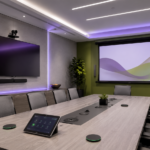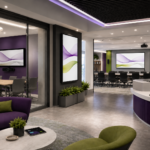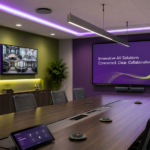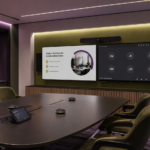

Collaboration is one of the most important parts of a modern workspace. Organizations need rooms that help people share ideas, solve problems, teach, train, and communicate clearly, whether everyone is in the same room or joining from different locations. Displays, cameras, microphones, control systems, and scheduling tools all support that experience, but interactive technology can make collaboration more active and engaging.
In today’s hybrid and technology-driven environments, meeting rooms, classrooms, training spaces, and shared work areas need more than standard presentation displays. Teams need tools that allow them to brainstorm, annotate, review content, and participate in real time. Educators need technology that supports instruction and student engagement. Organizations need systems that are easy to use, dependable, and designed for everyday collaboration. That is where SMART interactive solutions can play an important role.
As CCS discussed in its broader guide to AV integration for modern organizations and smarter national workspaces, the right technology brands can help organizations create more connected, consistent, and user-friendly environments. SMART supports that goal with interactive display and collaboration technology designed for professional, educational, and flexible workspace settings.
Why Interactive Technology Matters in Modern Workspaces
A meeting or classroom is more effective when people can participate instead of simply watch. Traditional displays are useful for sharing information, but interactive displays can help turn a presentation into a working session. Teams can mark up documents, organize ideas, review plans, teach lessons, and make decisions together in a more visual and hands-on way.
In corporate spaces, interactive technology can support brainstorming sessions, project planning, hybrid meetings, and team workshops. In education, it can help teachers create more engaging lessons and give students more opportunities to participate. In training environments, it can support demonstrations, group exercises, and guided instruction.
A well-planned SMART display solution can help make these spaces more flexible and useful. Instead of designing a room for one-way communication, organizations can create environments where people can collaborate naturally, share content easily, and interact with ideas as they develop.
Supporting Meetings, Classrooms, and Training Spaces
Different spaces require different collaboration tools. A small huddle room may need a simple interactive display for quick meetings and shared notes. A boardroom may need a polished solution that supports executive presentations, video conferencing, and strategy sessions. A classroom may need an interactive display that supports daily instruction and student engagement. A training room may need a flexible setup that works for presentations, group activities, and hands-on learning.
SMART solutions can be part of a complete AV design that supports these different needs. When paired with the right audio, cameras, control systems, wireless presentation tools, and room scheduling technology, SMART interactive displays can help create rooms that are easier to use and more effective for collaboration.
The value of interactive technology depends on more than the display itself. Room layout, mounting height, viewing distance, software needs, device compatibility, network access, and user training all affect the final experience. That is why interactive displays should be planned as part of the full AV environment, not treated as a standalone purchase.
SMART as Part of a Complete AV Integration Strategy
A strong AV system brings many technologies together into one smooth experience. SMART interactive displays may work alongside conferencing platforms, speakers, microphones, cameras, control panels, content-sharing tools, and network infrastructure. When everything is designed and configured correctly, users can walk into a room and focus on teaching, meeting, training, or collaborating instead of troubleshooting technology.
For organizations with multiple locations, consistency is especially valuable. A national company, school system, or organization with distributed teams may want meeting rooms, classrooms, and training spaces to feel familiar from one site to the next. Standardizing around dependable collaboration tools can simplify support, improve adoption, and make it easier for IT and facilities teams to manage technology over time.
SMART can support that approach with solutions that fit a range of room types and collaboration needs. Whether an organization is upgrading a single meeting space, refreshing classrooms, building training rooms, or planning AV standards across multiple locations, SMART can be part of a scalable interactive technology strategy.
Plan Smarter Collaboration Spaces with CCS
Interactive technology can help organizations create spaces where people do more than view information. They can contribute, teach, plan, explain, and collaborate in ways that feel more natural and productive.
CCS helps organizations design and integrate AV solutions that support the way people work, learn, meet, and communicate. From conference rooms and classrooms to training spaces and national workspace standards, CCS can help determine how SMART interactive solutions fit into a complete, dependable AV environment.
If your organization is upgrading meeting rooms, improving classroom technology, planning training spaces, or developing a multi-location AV standard, contact your local CCS office to start the conversation. The right interactive technology strategy can help your teams communicate more clearly, collaborate more effectively, and build smarter workspaces for the future.