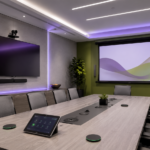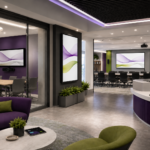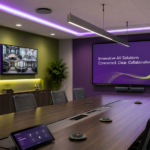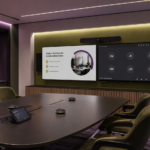
Modern collaboration spaces need to do more than support basic meetings. Teams need rooms where they can share ideas, mark up content, work through problems, train employees, and communicate clearly with people in the room and online. Whether the space is a conference room, training center, classroom, boardroom, or hybrid collaboration area, the right technology can make teamwork easier and more productive.
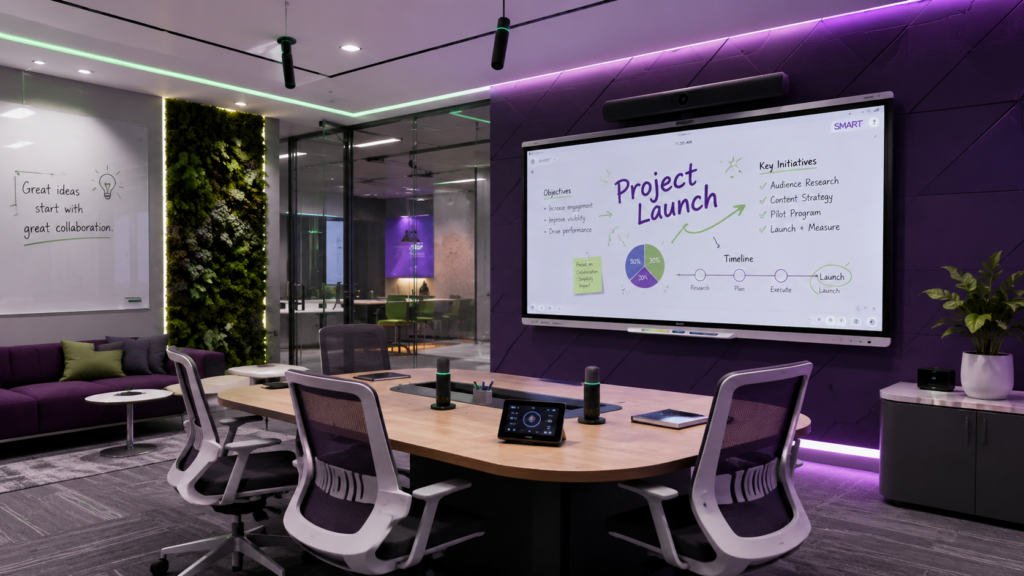
SMART interactive displays and Shure audio solutions can work together to create collaboration environments that are more engaging, easier to use, and better suited for the way people meet today. SMART technology helps turn the front of the room into a shared workspace, while Shure audio helps make sure voices are captured clearly and conversations are easier to follow.
At CCS Presentation Systems, our team helps organizations design and install complete AV systems that bring displays, audio, video conferencing, control, cabling, and user-friendly room design together. Whether you are upgrading a single collaboration space or planning AV improvements across multiple rooms, CCS can help create a solution built around how your team works.
Why Collaboration Spaces Need Better Technology
Many meeting rooms are still designed around one-way presentations. A screen is mounted at the front of the room, people sit around a table, and content is shared from a laptop. That setup can work for simple meetings, but it does not always support active collaboration.
Today’s teams often need to brainstorm, annotate documents, review plans, edit ideas, train groups, and include remote participants. A more interactive AV setup helps users move beyond passive viewing and create a more hands-on meeting experience.
This is where SMART interactive technology can make a difference. Interactive displays can support digital whiteboarding, annotation, screen sharing, and group participation, helping turn the display into a shared workspace instead of just a presentation screen.
SMART Interactive Displays for Better Engagement
SMART interactive displays are useful in a wide range of professional environments. In corporate settings, they can support planning meetings, team collaboration, project reviews, and training sessions. In education and training spaces, they can help instructors present content, write notes, mark up materials, and invite participation.
Instead of simply watching content on a screen, users can interact with it directly. Teams can write ideas, highlight key points, organize thoughts, and work through information together. This can make meetings feel more productive and help people stay engaged.
For organizations that use rooms for both meetings and training, SMART displays can provide extra flexibility. The same space can be used for presentations, workshops, internal training, hybrid meetings, and collaborative planning sessions.
Clear Audio with Shure Solutions
Interactive visuals are important, but collaboration also depends on clear audio. If people cannot hear each other clearly, the room experience quickly becomes frustrating. This is especially true when remote participants are included.
Shure audio solutions can help support clearer communication in conference rooms, training spaces, classrooms, boardrooms, and hybrid meeting environments. Depending on the room, a solution may include tabletop microphones, ceiling microphones, wireless microphones, speakers, and audio processing.
Shure’s conferencing solutions are designed to help professional meeting spaces capture voices more clearly and support better communication between in-room and remote participants.
When paired with SMART interactive displays, Shure audio can help create a more complete collaboration experience. People can see content, interact with ideas, and hear the conversation clearly.
Better Hybrid Collaboration
Hybrid collaboration is now a standard part of business, education, and organizational communication. Some people may be sitting in the room, while others join remotely. For hybrid collaboration to work well, the room needs to support both groups equally.
A SMART interactive display can make shared content easier to see and engage with. Shure audio can help remote participants hear the room more clearly. Cameras, speakers, control systems, and connectivity tools can help bring everything together into one smoother experience.
A well-designed hybrid room should feel natural to use. People should not have to struggle with microphones, search for cables, or spend several minutes getting the display and conferencing tools working. The technology should support the meeting instead of slowing it down.
Through our AV integration services, CCS helps organizations design spaces where the full system works together, from the display and audio to the camera, control interface, cabling, and room layout.
Great for Training Rooms and Team Spaces
SMART and Shure solutions are especially useful in training rooms and team collaboration spaces. Training environments often need more than a basic display. Presenters may need to write on the screen, interact with lesson materials, include remote learners, and make sure everyone in the room can hear clearly.
In team spaces, interactive displays can help groups brainstorm, review projects, and make decisions together. Shure audio helps keep the conversation clear, whether the room includes five people or a larger group.
These technologies can support many types of spaces, including:
Conference rooms
Training rooms
Classrooms
Boardrooms
Corporate collaboration spaces
Hybrid meeting rooms
Professional development rooms
Higher education spaces
Each room has different needs, which is why professional AV design matters.
Designed Around the Way People Use the Room
The best collaboration spaces are designed around users, not just products. Display size, microphone coverage, camera placement, seating layout, lighting, cable access, control systems, and software platforms all affect how the room performs.
CCS helps organizations evaluate the full room before recommending technology. A small meeting room may need a simple interactive display and compact audio setup. A larger training room may need multiple microphones, speaker coverage, video conferencing, and more advanced control. A classroom or multipurpose space may require flexibility for different types of activities.
Through our AV solutions, CCS helps create systems that are practical, polished, and built for everyday use.
Upgrade Your Collaboration Spaces with CCS
If your organization wants meeting rooms, classrooms, or training spaces that support more active participation, SMART interactive displays and Shure audio solutions can be a strong combination. SMART technology helps people interact with content, while Shure audio helps make conversations clearer and easier to follow.
Together, these solutions can help create collaboration spaces that are more engaging, more flexible, and better prepared for hybrid work and learning.
Ready to improve your collaboration spaces? Visit CCS Presentation Systems or contact CCS to start planning your next AV project.