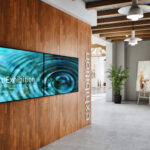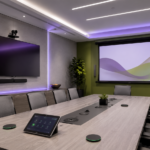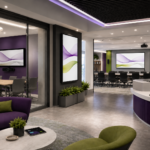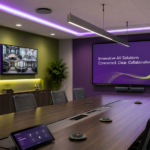
A professional AV system is only as strong as the infrastructure behind it. Displays, projectors, microphones, cameras, speakers, and control systems may be the most visible parts of a room, but the cables, connection points, mounts, equipment racks, and signal paths are what keep everything working together.
When cable management and connectivity are planned correctly, AV systems look cleaner, perform more reliably, and are easier to use every day. When they are ignored, rooms can quickly become cluttered, confusing, and difficult to maintain.
At CCS Presentation Systems, our team helps organizations design and install AV systems that are built around both performance and usability. From conference rooms and classrooms to training spaces, auditoriums, lobbies, and collaboration areas, clean cable management and dependable connectivity are essential parts of a successful AV project.
Cable Management Is More Than Appearance
Clean cable management helps a room look more professional, but it also affects how well the system works. Loose cables, tangled wires, exposed connections, and poorly labeled equipment can create problems for users and support teams.
A clean AV installation helps reduce clutter, protects equipment, improves safety, and makes troubleshooting easier. In client-facing conference rooms, classrooms, healthcare environments, government facilities, and corporate spaces, a clean installation also creates a better impression.
Professional AV design considers where cables will run, how equipment will be connected, where users will plug in, and how the system will be serviced later. The goal is to make the technology feel seamless instead of messy or distracting.
Better Connectivity Creates Better User Experiences
People expect meeting rooms and presentation spaces to be easy to use. They want to connect a laptop, share content, start a video call, adjust audio, or launch a presentation without guessing which cable to use or where to plug in.
That is where thoughtful connectivity matters. Wall plates, table boxes, floor boxes, USB-C connections, HDMI inputs, network ports, audio connections, and control interfaces should all be placed where users naturally need them.
Products from brands like Covid can support professional AV connectivity with cables, plates, panels, connectors, adapters, extenders, and other signal management products. These behind-the-scenes components help keep AV systems organized and dependable.
Wall Plates, Table Boxes, and Connection Points
Connection points are a major part of the user experience. A room may have excellent displays and audio, but if users cannot easily connect their devices, the system will feel frustrating.
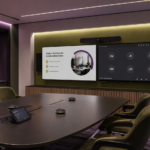
Wall plates and table boxes help create clean access points for the technology in the room. A conference table may include power, HDMI, USB-C, network, or audio connections. A classroom wall plate may provide inputs for instructor devices. A training room may need multiple connection points for presenters, cameras, displays, and microphones.
When these connection points are planned well, users spend less time troubleshooting and more time focusing on the meeting, lesson, or presentation.
Signal Reliability Matters
AV systems depend on reliable signal flow. Audio, video, control, and network signals often travel through multiple devices before reaching the final destination. If cable paths are too long, poorly terminated, mislabeled, or not suited for the equipment being used, the system may experience signal loss, dropouts, or inconsistent performance.
Professional AV design helps avoid these problems by planning the right cable types, lengths, routing, and signal management tools from the beginning. This is especially important in larger rooms, training spaces, auditoriums, divisible rooms, and multi-display environments.
Reliable connectivity helps users trust the room. When the system works consistently, people are more likely to use the technology confidently.
Mounting and Infrastructure Support the Full System
Cable management also connects closely with mounting and infrastructure. Displays, projectors, cameras, speakers, and control panels need to be installed securely and positioned correctly.
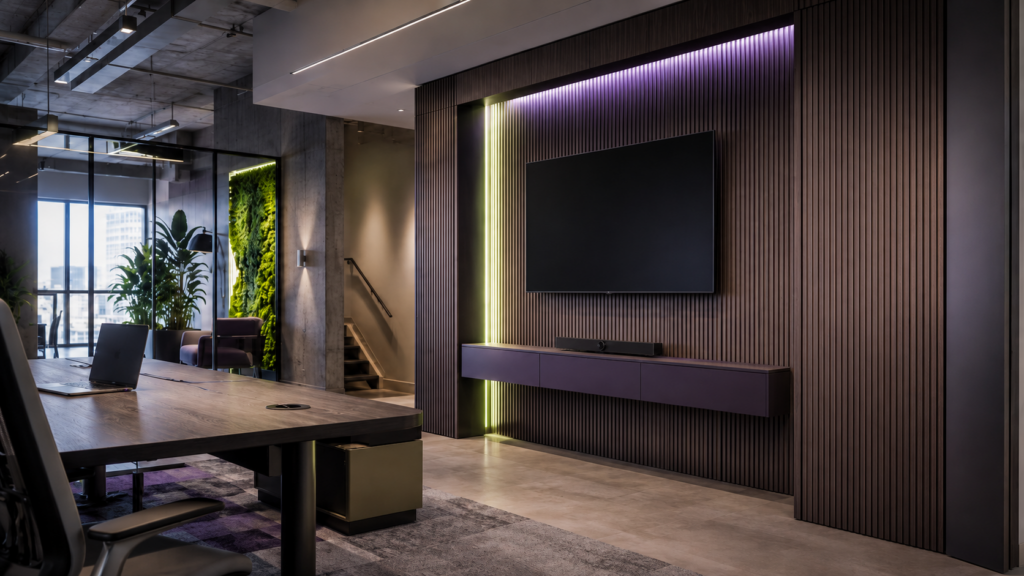
Mounting solutions from Chief can support clean and secure AV installations for displays, projectors, video walls, digital signage, and other professional applications. The right mount helps place technology where it works best while helping keep cables organized and hidden.
For projection environments, Da-Lite screens can also play a role in creating a professional finished system. Screens, mounts, cabling, and control all need to work together so the room looks clean and performs reliably.
Long-Term Serviceability Matters
A clean AV system should not only work on installation day. It should be easy to maintain, troubleshoot, and upgrade over time.
Good cable management helps support long-term serviceability. Labeled cables, organized racks, accessible connection points, and clear signal paths make it easier for support teams to identify and resolve issues. This matters for organizations with multiple rooms, busy schedules, and limited time for downtime.
A poorly organized system may be difficult to repair or expand later. A well-planned system makes future updates more manageable.
Through our AV integration services, CCS helps organizations think beyond the initial installation. We design AV systems with daily use, support, and long-term performance in mind.
Cable Management for Different AV Spaces
Different spaces have different connectivity needs. A small huddle room may need a simple table connection and display input. A large boardroom may need multiple microphones, cameras, displays, and control points. A classroom may need instructor connections, audio routing, and projection or display support. A lobby may need digital signage with clean mounting and hidden cabling.
Professional cable management and connectivity can support spaces such as:
Conference rooms
Classrooms
Training rooms
Auditoriums
Digital signage areas
Healthcare meeting spaces
Government facilities
Houses of worship
Hospitality environments
Corporate collaboration spaces
Each room should be designed around how people actually use it.
Build Cleaner AV Systems with CCS
Cable management and connectivity may not always be the most visible parts of an AV system, but they are some of the most important. Clean infrastructure helps rooms look better, work better, and stay easier to support over time.
CCS helps organizations create complete AV systems that bring displays, audio, cameras, control, cabling, connectivity, mounting, and room design together. Through our AV solutions, we help build systems that are practical, professional, and dependable.
Ready to improve your AV infrastructure? Visit CCS Presentation Systems or contact CCS to start planning your next project.