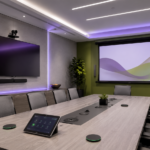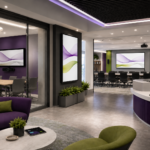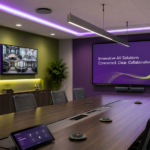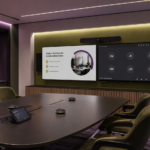
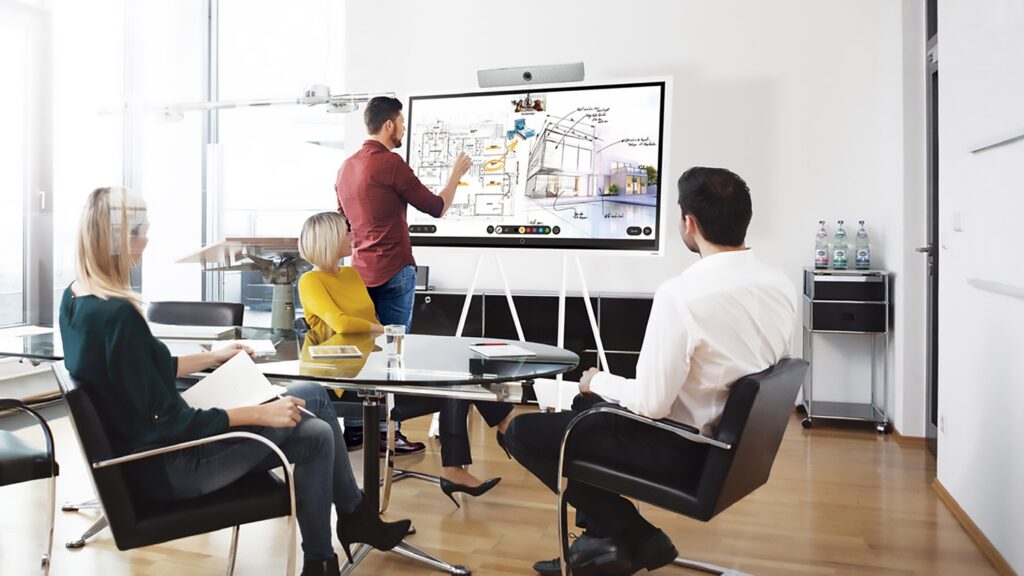
Every organization, whether a school, business, or other institution, understands the importance of efficient communication and collaboration. Modern meeting rooms are a central hub for these activities, especially with the growing reliance on video conferencing, hybrid work environments, and collaborative technologies. However, as technology continues to advance, the reliability of these systems becomes critical. A common issue many organizations face is an influx of IT support tickets generated by meeting room technology failures. These tickets not only strain IT teams but also cause disruptions in productivity, leading to frustration among employees.
One of the key ways to reduce IT support tickets and enhance overall efficiency is to rethink how meeting rooms are designed and deployed. By adopting strategic design practices, choosing the right AV technology, and ensuring seamless integration with existing IT infrastructure, organizations can create reliable, user-friendly meeting environments that minimize the need for troubleshooting and support requests.
At CCS Presentation Systems, we specialize in AV integration services that help businesses, schools, and organizations streamline their meeting room technology to improve reliability, usability, and user adoption. In this article, we’ll explore how organizations can rethink their meeting rooms to reduce IT support tickets, focusing on design and deployment strategies that prioritize reliability and user adoption.
Why Meeting Rooms Are a Source of IT Support Tickets
Before diving into the strategies for reducing IT support tickets, it’s important to understand why meeting rooms are a common source of issues for IT teams. Meeting room technology typically includes a combination of AV devices, video conferencing software, wireless presentation systems, and room scheduling tools. This complexity can lead to technical issues, especially when systems are poorly designed or not properly integrated.
Some common causes of IT support tickets in meeting rooms include:
- Inconsistent setup: Meeting rooms often contain various pieces of hardware and software that must work together seamlessly. When they are not set up correctly, users encounter difficulties with connecting devices, sharing screens, or getting audio and video to function properly.
- Poor compatibility: Different devices or software platforms may not work well together, causing disruptions in meetings. For example, a microphone might not sync with a video conferencing platform, or a room’s projector might not display content from certain laptops.
- Complex user interfaces: Many AV systems have complex user interfaces that require training to operate. If the system is not intuitive or easy to use, employees may struggle to get the technology up and running, resulting in IT support requests.
- Lack of maintenance: AV systems, like any other technology, require regular maintenance and updates. If the technology is not properly maintained, issues like outdated software, malfunctioning hardware, or system misconfigurations can arise, generating support tickets.
By addressing these challenges through thoughtful design and deployment strategies, organizations can reduce the frequency of support tickets and ensure a more reliable meeting room experience.
Design Strategies for Reliable Meeting Rooms
Designing meeting rooms with reliability in mind is key to reducing IT support tickets. By focusing on the following design principles, organizations can create environments that are user-friendly, efficient, and easy to maintain.
1. Simplify the User Interface
One of the most effective ways to reduce IT support tickets is by ensuring that the meeting room’s AV system is simple and intuitive to use. When employees can easily operate the equipment without needing to call IT support, the number of support tickets will naturally decrease.
- Touchscreen Controls: Use a centralized touchscreen control system that allows users to control all AV components (e.g., microphones, cameras, screens, and projectors) from a single interface. Touchscreen controls should be intuitive and require minimal training.
- Pre-Configured Settings: The room’s AV system should be pre-configured to work seamlessly with the software used by the organization, such as Zoom, Microsoft Teams, or Google Meet. This way, users do not need to manually adjust settings for each meeting.
- Clear Signage and Instructions: In addition to a user-friendly interface, consider providing clear instructions and signage in the meeting room. Simple step-by-step guides for starting a meeting or sharing content can help users feel more confident in using the technology.
2. Ensure Seamless Device Compatibility
For meeting rooms to be truly reliable, all devices should be compatible with each other and the organization’s existing IT infrastructure. Compatibility issues are one of the leading causes of technical failures in meeting rooms.
- Unified Collaboration Tools: Use AV systems that are compatible with a wide range of devices and software platforms. This allows employees to use their laptops, tablets, or smartphones with ease, whether they are in the office or working remotely.
- Wireless Presentation Systems: Integrating wireless presentation systems, such as Barco ClickShare or Crestron AirMedia, ensures that employees can easily share content from their devices without worrying about cables or compatibility issues. These systems also reduce clutter and improve flexibility in the meeting space.
- Cross-Platform Video Conferencing: Ensure that the video conferencing system in the meeting room supports multiple platforms (Zoom, Microsoft Teams, Webex, etc.). This will allow users to join meetings without having to worry about whether their preferred platform is supported.
3. Create Flexible and Adaptable Room Layouts
Different types of meetings require different room setups. A one-size-fits-all approach can lead to inefficiencies and technical problems. Instead, meeting rooms should be designed to accommodate a variety of use cases, from small team huddles to large conference calls.
- Modular Furniture: Use modular furniture that can be easily rearranged to suit the needs of the meeting. This is especially important for rooms that will be used for both in-person and remote meetings. Flexible layouts ensure that everyone can be seen and heard clearly, regardless of whether they are physically present or participating virtually.
- Acoustic Considerations: Proper acoustics are essential for clear communication, especially in larger rooms. Installing sound-absorbing materials, such as acoustic panels, can reduce background noise and improve audio quality during meetings, which in turn reduces the likelihood of technical issues related to sound.
4. Ensure Robust Network Connectivity
AV systems rely heavily on network connectivity, especially when video conferencing and content sharing are involved. Ensuring a strong, reliable network connection is essential to avoiding performance issues and IT support tickets.
- Dedicated AV Network: Consider setting up a dedicated AV network separate from the organization’s general IT network. This ensures that video and audio streams have enough bandwidth to function smoothly without being affected by other network traffic.
- High-Speed Internet and Wi-Fi: Ensure that meeting rooms are equipped with high-speed internet and reliable Wi-Fi connections to support video conferencing and data sharing. This will help prevent issues like lag, poor video quality, or dropped connections.
Deployment Strategies to Improve Reliability and User Adoption
Once the meeting room design is in place, it’s time to deploy the AV system. The deployment phase is critical in ensuring that the system works reliably and that employees are able to use it with ease.
1. Thorough Testing Before Launch
Before a meeting room is used by employees, it’s essential to test the AV system thoroughly. This includes checking all components – cameras, microphones, displays, and wireless systems – to ensure that they work seamlessly together. Testing should also include verifying the system’s compatibility with the organization’s collaboration platforms.
- End-to-End Testing: Perform full end-to-end tests, including running a mock video conference, sharing content, and testing audio and video quality from multiple devices. This will help identify any issues before the room is put into service.
2. Comprehensive Training and Onboarding
Even with a simplified user interface, training is still important to ensure that employees feel comfortable using the AV system. Training should be part of the onboarding process and should focus on common tasks such as starting meetings, connecting devices, and sharing content.
- On-Demand Support Materials: Create easy-to-follow instructional guides or videos that employees can access whenever they need help. This reduces the number of support tickets generated by simple questions or issues.
- In-Room Support: Consider having quick-reference guides or touchscreen tutorials in the meeting room itself to help users get up to speed without needing to call IT.
3. Ongoing Monitoring and Maintenance
To ensure that meeting rooms continue to function reliably, ongoing monitoring and maintenance are essential. This includes regularly updating software, checking for hardware issues, and making adjustments based on user feedback.
- Remote Monitoring: Use remote monitoring tools to track the health and performance of meeting room AV systems. This can help detect issues before they cause major disruptions and reduce the need for emergency IT support.
Partner with CCS Presentation Systems for Your Next AV Integration Project
At CCS Presentation Systems, we specialize in designing and integrating AV systems that are reliable, user-friendly, and tailored to meet the needs of your organization. Our team works with schools, businesses, and other organizations to create meeting rooms that reduce the burden on IT support teams and ensure seamless collaboration.
If you’re ready to rethink your meeting room design and deployment strategy, contact CCS Presentation Systems today. Let us help you create spaces that enhance productivity, improve user adoption, and reduce IT support tickets. Reach out to us to learn more about how our AV integration services can streamline your organization’s collaboration efforts.