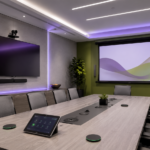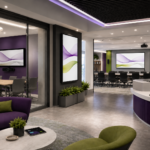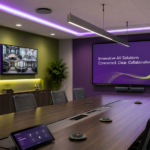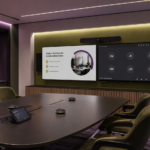
In the modern workplace, the conference room is no longer just a space for traditional in-person meetings. With the rise of hybrid work models, global teams, and the increasing use of digital collaboration tools, conference room design needs to evolve to meet the demands of today’s meeting culture. The ways people meet and collaborate have shifted, and these changes should be reflected in how meeting rooms are designed, what technology is used, and how workflows are structured.
Organizations are now facing the challenge of creating spaces that cater to diverse meeting formats, from in-person discussions to remote video conferences, and everything in between. A well-designed conference room, equipped with the right technology, can foster productive collaboration, enhance decision-making, and improve employee engagement. However, to achieve these benefits, businesses must rethink traditional conference room layouts, technology choices, and workflows to accommodate how people actually meet today.
At CCS Presentation Systems, we specialize in designing and integrating AV solutions that support modern meeting environments. In this article, we will explore how modern usage patterns should influence conference room design, technology selection, and workflows, and how organizations can create spaces that facilitate seamless collaboration.
Understanding the Evolving Nature of Meetings
Meeting culture has undergone a significant transformation in recent years, largely driven by the shift toward hybrid and remote work. According to recent research, 76% of employees now work remotely at least one day a week, and 25% of all professional meetings are held virtually. Additionally, hybrid workforces – where some employees are in the office and others are working remotely – have become the standard for many organizations. This hybrid model requires a different approach to conference room design.
Traditional conference rooms, designed for in-person meetings with a single table and a projector or whiteboard, are no longer sufficient. Instead, organizations need to create flexible spaces that can accommodate both in-person and virtual participants. This requires attention to room layout, the integration of appropriate technology, and a rethinking of meeting workflows to ensure that everyone, regardless of location, has an equal opportunity to participate and collaborate.
Room Layouts: Creating Flexibility and Inclusivity
Conference rooms should be designed with flexibility in mind. The traditional large, rectangular table may not be the best option for today’s hybrid meetings, where participants are often joining from different locations. Instead, rooms should support various configurations that allow for both in-person and virtual participants to engage in productive discussions.
1. Flexible Seating Arrangements
In many modern meetings, the flow of communication is less formal, with multiple people participating in a dynamic, interactive exchange. Instead of traditional rows of seating facing forward, consider arranging chairs in circular or semi-circular layouts. This encourages more collaboration and interaction among participants, both in-person and remote.
2. Designing for Equal Participation
In hybrid meetings, it’s essential to ensure that remote participants are as visible and heard as those who are physically present. This requires careful consideration of seating arrangements. For example, seating near cameras or microphones should be distributed evenly to avoid creating areas where remote participants may struggle to hear or see the conversation. Strategically placed cameras with wide-angle lenses and microphones that pick up voices from all areas of the room can help level the playing field.
3. Breakout Spaces
Not all meetings need to be formal discussions with everyone involved at the same time. For smaller group conversations or brainstorming sessions, it’s essential to provide flexible breakout spaces that allow participants to split off and collaborate in smaller groups. These spaces should be equipped with AV technology that supports virtual participation, such as portable video conferencing equipment, wireless presentation systems, and interactive displays.
Technology Choices: Integrating the Right Tools for Collaboration
Technology is the backbone of modern conference room design. However, simply installing high-quality hardware is not enough – the technology must be thoughtfully integrated into the room’s design to support seamless collaboration. A well-integrated system ensures that both in-person and remote participants can contribute effectively, whether through video conferencing, screen sharing, or collaborative tools.
1. Video Conferencing Systems
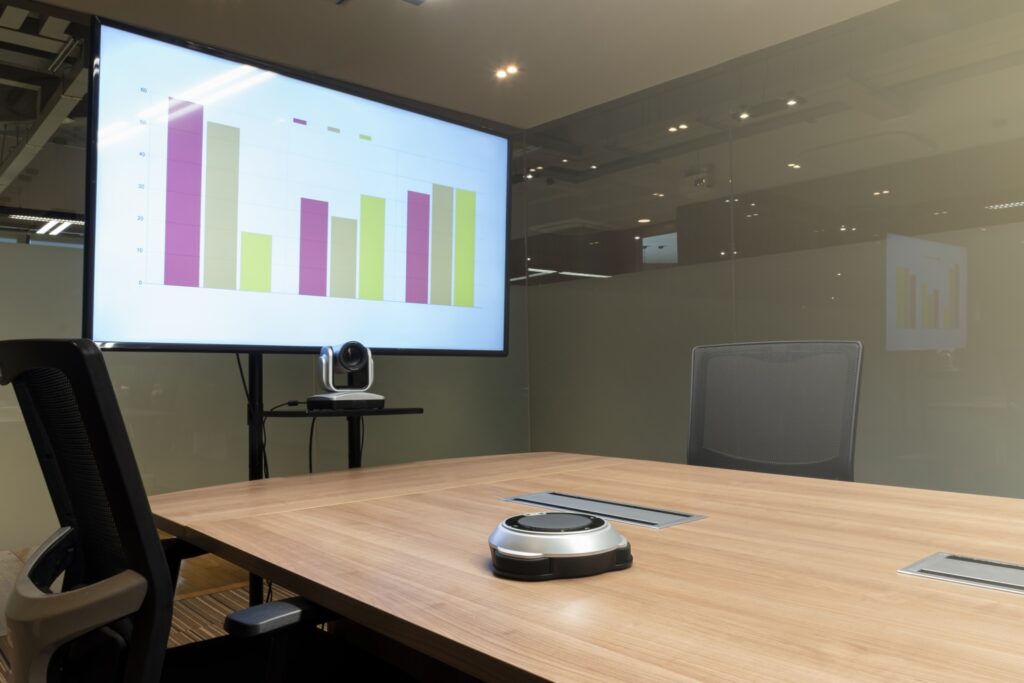
One of the most important aspects of modern conference room design is video conferencing. With hybrid work becoming the norm, it’s crucial to have a video conferencing system that is easy to use, reliable, and compatible with a variety of platforms, such as Zoom, Microsoft Teams, or Google Meet. It’s important to choose systems with high-definition cameras and microphones that deliver clear video and audio, even in larger rooms.
Many organizations are opting for camera systems that automatically track speakers or adjust the frame to show the entire room, ensuring remote participants always have a clear view of those in the room. Microphones should also be strategically placed to ensure sound quality for both in-person and virtual attendees.
2. Collaborative Displays and Interactive Whiteboards
Interactive displays are becoming a staple of modern conference rooms. These displays allow participants to share content, annotate documents, and collaborate in real-time. Touchscreen displays, digital whiteboards, and interactive projectors allow for seamless content sharing and brainstorming. These systems can be connected to video conferencing software to share what’s being discussed with remote participants.
Additionally, digital whiteboards and collaboration platforms like Microsoft Surface Hub or Google Jamboard help bridge the gap between in-person and remote teams by enabling real-time collaboration on visual materials, documents, and notes.
3. Wireless Presentation Systems
In today’s fast-paced meeting environment, flexibility is key. Wireless presentation systems allow presenters to easily share content from their laptops, tablets, or smartphones without the need for physical cables. These systems eliminate the hassle of connecting multiple devices and allow for smoother transitions between presenters. Features like multi-screen displays and screen mirroring also help make presentations more dynamic and engaging.
4. Room Scheduling and Control Systems
Room scheduling and control systems simplify the process of booking meeting spaces, managing AV equipment, and controlling lighting and temperature. With an integrated room booking system, employees can easily reserve rooms and ensure that all AV equipment is ready for use. These systems can also streamline the management of AV devices across multiple rooms and locations, making it easier to monitor performance and maintain equipment.
Workflows: Streamlining Communication and Collaboration
Effective meeting workflows are as important as room layouts and technology. Without the right workflows in place, even the best-designed conference room can become a source of frustration. Integrating AV technology into the meeting process itself is key to maximizing productivity and ensuring that meetings run smoothly.
1. Simplified Meeting Start-Up
A common frustration in many meeting rooms is the time spent trying to get the technology working. Ensuring that all devices are properly connected and set up before the meeting starts is critical. Automation can help reduce this frustration. For example, automated room scheduling systems can adjust the room’s AV settings based on the booked meeting time, ensuring that all systems are ready when participants arrive.
2. Seamless Integration of Hybrid Participants
In hybrid meetings, remote participants should feel like they’re part of the conversation. This requires a workflow that makes it easy for in-person and virtual participants to interact. Implementing tools like virtual breakout rooms, chat functions, and collaborative platforms ensures that everyone can participate equally, regardless of their location.
Additionally, a well-integrated system should support screen sharing, file sharing, and real-time collaboration in a seamless way, so that information can flow freely between participants, whether they are in the room or joining remotely.
3. Post-Meeting Documentation and Follow-Up
Meeting rooms should be designed with the entire collaboration process in mind, including post-meeting documentation and follow-up. AV technology can play a role here too. For example, meeting recordings can be automatically saved and shared with participants. Interactive whiteboards can capture meeting notes and action items, and those notes can be easily saved to the cloud for future reference.
Choose CCS Presentation Systems for Your Conference Rooms Needs
At CCS Presentation Systems, we specialize in creating conference room environments that are tailored to the way your teams actually meet today. Our AV solutions are designed to foster seamless collaboration, improve productivity, and enhance the overall meeting experience. Whether you need to upgrade an existing space or design a new conference room, our experts are here to help.
Contact CCS Presentation Systems today to learn how we can help you design conference rooms that support the modern way people work, communicate, and collaborate. Let us help you create spaces that drive success and ensure that your team’s collaboration runs smoothly, every time.