
Audio-Visual (AV) systems are essential for creating immersive, productive environments in a variety of settings, including businesses, educational institutions, healthcare facilities, and more. Whether you’re setting up a conference room, classroom, or auditorium, the performance of your AV system hinges on proper installation. A poorly installed AV system can lead to technical difficulties, inefficiencies, and frustration for users. To ensure that your AV system functions optimally and integrates seamlessly into your space, it’s crucial to follow best practices during the installation process.
At CCS Presentation Systems, we specialize in providing top-tier AV solutions tailored to the specific needs of our clients. Below are some best practices to consider when installing AV systems in your organization.
1. Understand the Space and Its Purpose
The first step in any AV installation is understanding the space where the system will be integrated. Every room or environment has different needs, and it’s important to design an AV solution that complements its purpose. For example, a classroom may require different equipment compared to a boardroom or a medical facility.
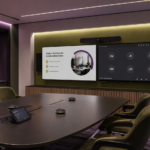
Take the time to assess the space’s layout, dimensions, acoustics, lighting, and intended use. A boardroom might need a large display, high-quality microphones, and a video conferencing system, while a classroom could benefit from interactive whiteboards, projectors, and sound systems to engage students effectively. By understanding the space and its function, you can ensure that the AV equipment selected will provide maximum benefit and utility.
2. Plan for Integration with Existing Systems
When installing an AV system, it’s important to consider how the new technology will integrate with your existing infrastructure. This might include IT networks, room control systems, or building automation tools. Effective integration ensures smooth communication between devices, allowing for a streamlined user experience.
For example, businesses might already have digital signage or room booking systems in place. An AV solution that seamlessly connects to these existing systems can enhance operations and reduce redundancy. Similarly, in schools, the integration of AV tools with learning management systems (LMS) can create a more efficient learning environment for teachers and students.
3. Choose the Right Equipment for the Environment
Selecting the correct equipment for the specific environment is one of the most critical aspects of AV installation. The wrong equipment can lead to poor performance and may require costly adjustments later.
For instance, choosing the right projector or display screen is key to ensuring that visual content is clear and visible to everyone in the room. The size and type of display will depend on the room size, the viewing distance, and the amount of ambient light in the environment. In spaces with high ambient light, you may need a high-lumen projector or a display with anti-glare features to ensure that content is visible.
The audio system is equally important. In large spaces like auditoriums, you’ll need a more powerful sound system with the ability to reach the farthest corners of the room. In contrast, small conference rooms may only need a basic speaker system. Understanding the acoustics of the room will also help you determine the appropriate number and placement of speakers, ensuring even sound distribution throughout the space.
4. Cabling and Wiring Considerations
Proper cabling and wiring are essential for maintaining the integrity and longevity of your AV system. Poorly installed cables can cause technical problems, create a cluttered environment, or even pose safety hazards. It’s crucial to plan your wiring routes before installation, ensuring that cables are hidden and organized, while still being easily accessible for maintenance.
Using high-quality cables that are suitable for the system requirements is just as important. For example, HDMI cables should be chosen for high-definition video signals, and audio cables should match the impedance of your speakers and amplifiers. It’s also advisable to use structured cabling solutions that allow for future upgrades or changes to the system.
Moreover, labeling and color-coding cables can make troubleshooting and maintenance easier. Installing cable management solutions, such as raceways or conduits, will help keep the wires organized, minimizing clutter and reducing the risk of accidental disconnections.
5. Prioritize User-Friendliness
An AV system, no matter how advanced, is only as effective as the users who operate it. One of the key best practices in AV installation is ensuring that the system is easy to use for everyone in the organization. A complicated setup can lead to user frustration, lower adoption rates, and underutilization of the technology.
User-friendly interfaces and intuitive control systems are essential for smooth operation. Implementing touchscreens or central control panels that allow users to control multiple AV components with ease is highly beneficial. A well-designed control system can help users turn on the projector, adjust the sound, and connect to video conferencing tools with a single touch.
Training is also a critical part of the user experience. Offering training sessions for users ensures that they are confident in operating the system and can make the most of its features. Whether it’s a simple presentation setup or a complex video conference, users should know exactly how to utilize the equipment effectively.
6. Test, Test, and Test Again
Before fully deploying an AV system, thorough testing is essential to ensure all components work together seamlessly. It’s vital to test video and audio quality, check for any connectivity issues, and confirm that the control systems are functioning correctly.
Testing should also extend to evaluating the system under real-world conditions. For example, in a conference room, test the system with multiple users and various devices (e.g., laptops, smartphones) to ensure that all connections are stable and easy to establish. In classrooms, ensure that the audio system provides clear sound across the entire room, and test the interactive displays for responsiveness.
By thoroughly testing the system before going live, you can identify any issues early on and address them promptly, saving both time and money in the long run.
7. Ongoing Support and Maintenance
Once your AV system is up and running, it’s crucial to have a plan for ongoing support and maintenance. AV systems can experience wear and tear over time, and technology is constantly evolving, which means your system may need to be updated or serviced periodically.
CCS Presentation Systems provides ongoing maintenance and support services to ensure that your AV system continues to perform at its best. Regular check-ups, software updates, and troubleshooting are key to keeping your system operational and preventing future issues.
Trust CCS Presentation Systems for Your AV Installation Needs
When it comes to AV installation, the right planning, equipment selection, and installation practices can make all the difference in the performance and longevity of your system. At CCS Presentation Systems, we specialize in designing, installing, and maintaining AV solutions that are tailored to your organization’s unique needs. Our experienced team works with you every step of the way, from initial consultation to post-installation support, ensuring that your AV system functions seamlessly and enhances productivity.
If you’re ready to upgrade your AV infrastructure or need assistance with an upcoming project, contact CCS Presentation Systems today. Let us help you create a collaborative, efficient, and future-proof AV solution for your organization.